GERP ODOO Course
Completed
What internal users are
Several people enter the same GERP ODOO and each has their own permissions: which dashboards they see, which buttons they can press and which menu options appear for them. Those are the internal users.

▶ In motion: what decides what each person sees, step by step.
- Log in: everyone logs into the same GERP ODOO and each person says who they are with their password.
- Dashboard: sees only the dashboards (Sales, Purchases, Accounting…) that are ticked.
- Button: inside each dashboard, only the ticked buttons.
- Menu: in the top menus, only the options that apply to them.
- Bar: and of the icons in the top bar, the ones they are allowed.
What you need to know
- Only the administrator manages them, in Home › Internal users.
- What a person does not have ticked does not appear for them: not in Home, not in the menus, not in the screens. It is not shown switched off: it does not exist for them.
- A user marked as Administrator sees everything and manages the others.
- Permissions go by levels: first the dashboard (Sales, Purchases, Accounting…), inside it its buttons, and separately the menu options and the top bar icons.
- If the business has several companies, the same person can have different permissions in each one.
- It records who logs in, when and from which device.
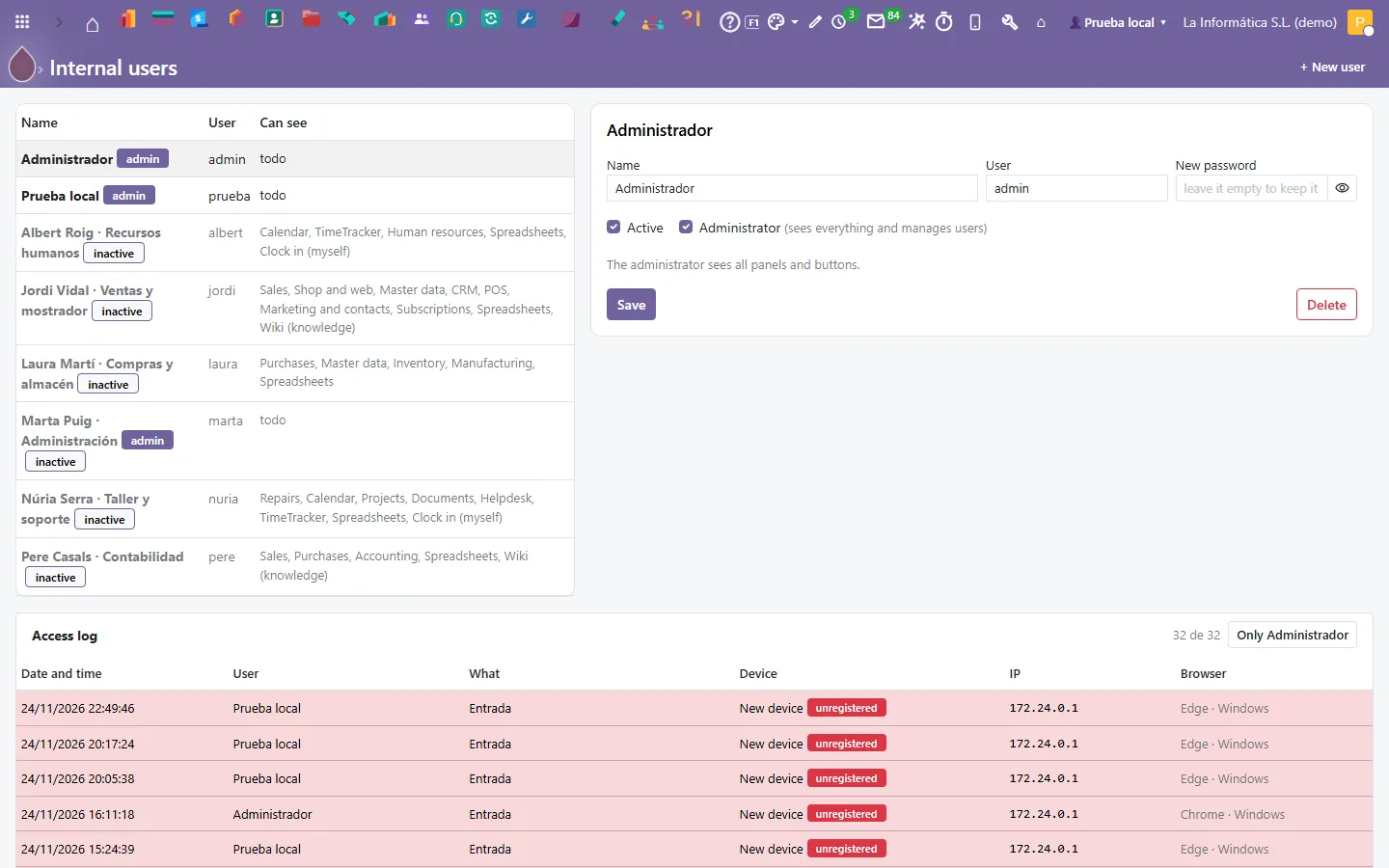
Rule of the program: every option of a GERP module —menu, screen or button— can be granted or removed from Internal users.
Each person, with their permissions.
Rating
0
0
There are no comments for now.
Join this Course
to be the first to leave a comment.