GERP ODOO Course
Completed
CRM (opportunities)
The sales opportunities in columns by stage, with activities and the quote that comes out of each one.
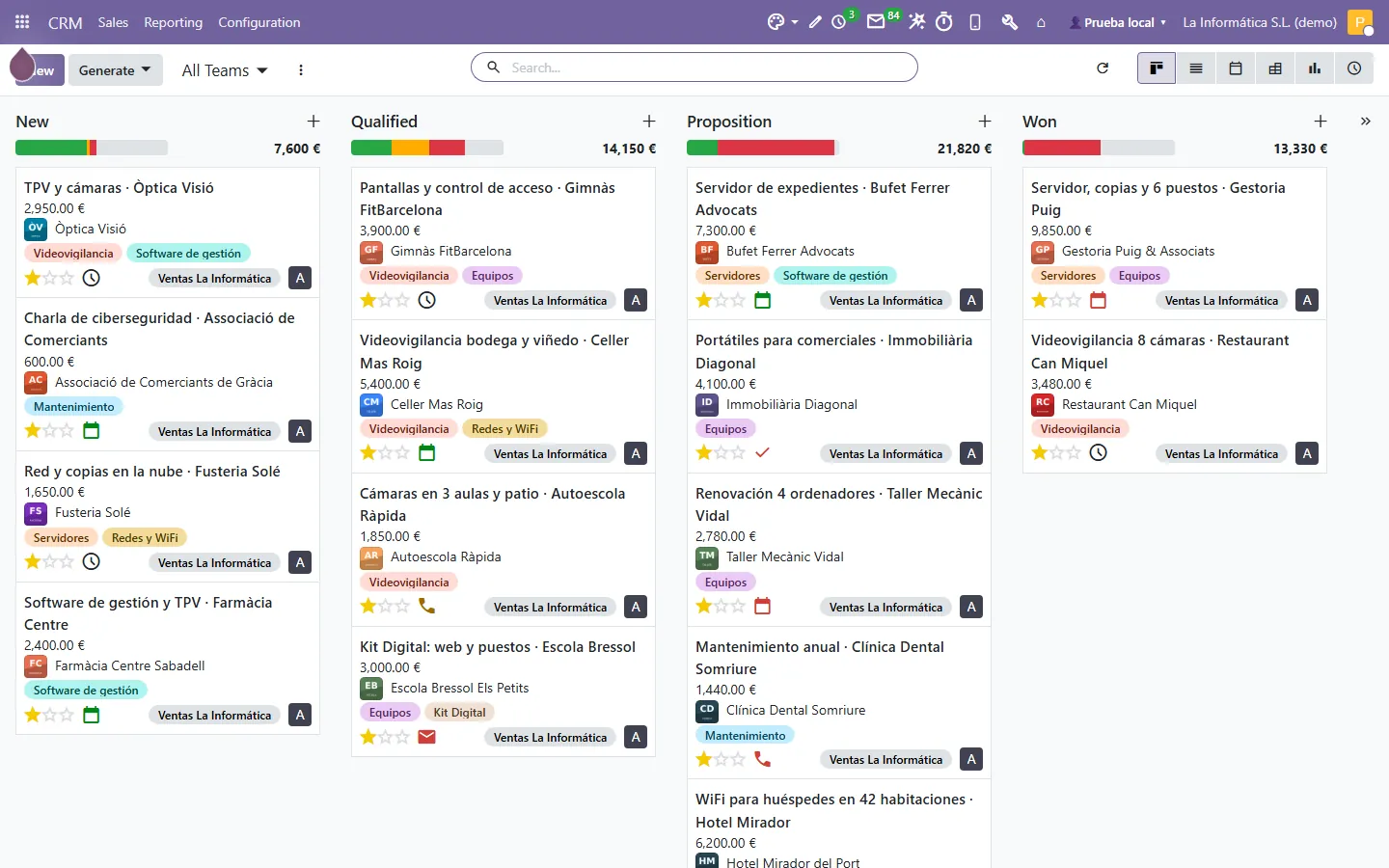
1. Funnel
Drag each opportunity from stage to stage; from it you make the quote.
2. The CRM stages
«+ Add column».
3. The activities
«Schedule activity».
4. Win or lose an opportunity
«Won» / «Lost».
5. The quote from the CRM
«New quotation».
6. The potential customers
CRM › «New».
7. The CRM reports
CRM › Reports.
8. The email in the opportunity
«Send message».
Frequently asked questions
How do I add an opportunity?
CRM: «New» in the column, customer and expected revenue, activities and «New quotation».
How do I change stages?
«+ Add column».
How do I schedule a call?
«Schedule activity».
How do I mark won?
«Won» / «Lost».
How do I quote from an opportunity?
«New quotation».
How do I add a new lead?
CRM › «New».
How do I see expected revenue?
CRM › Reports.
How do I email the customer?
«Send message».
Why can't I see CRM (oportunidades)?
If you can't see it, your internal user lacks the «crm» permission: the administrator grants it in Home › Internal users.
The sales opportunities in columns by stage, with activities and the quote that comes out of each one.
There are no comments for now.