GERP ODOO Course
Completed
AI assistant (Ask me)
A button at the top to ask how to do something or about your data; it replies in your language, first with the knowledge base and only if needed with the AI.
Video course with Ximena and Marc
Press «Empezar» (Start) and turn the volume up: they show you with voice-over and subtitles (in Spanish), in about 3 minutes.
Open full screen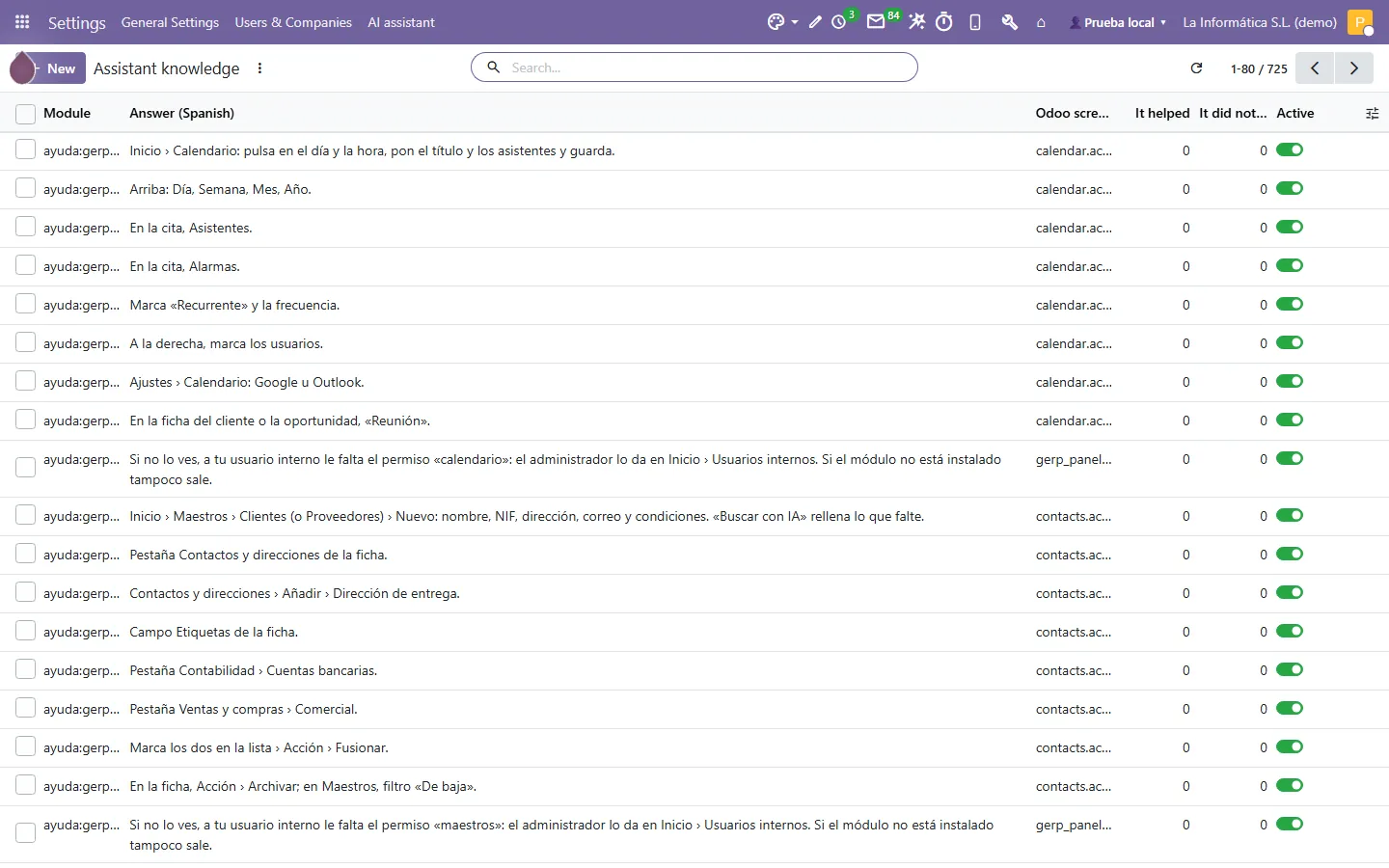
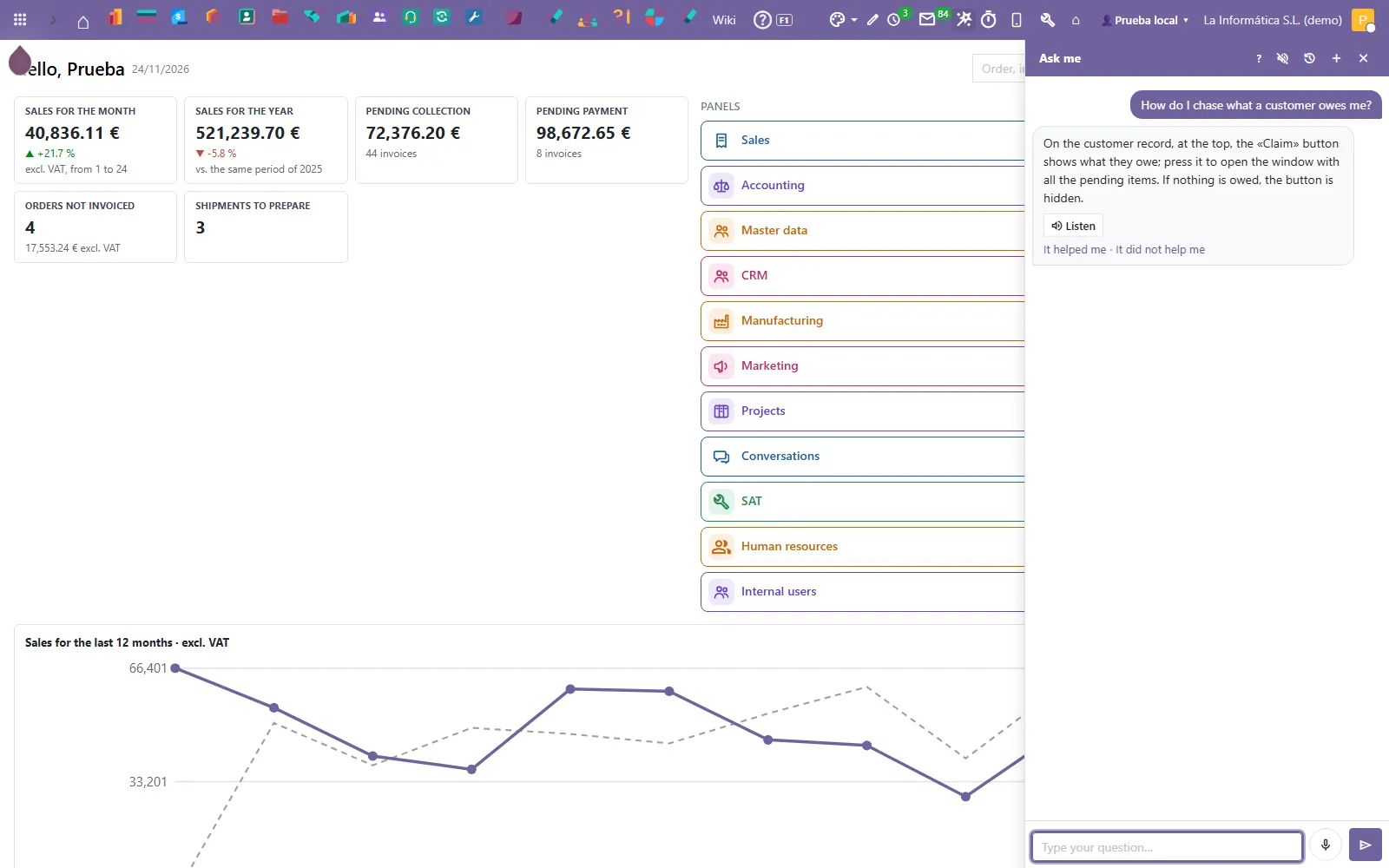
1. Ask me
Top bar button.

▶ In motion: ask me, point by point.
- 1Help, read aloud, history, new conversation.
- 2The answers with the button to go to the screen and the rating.
- 3Type or dictate the question.
2. The assistant
Press «Ask me».
3. Questions about the data
Ask about sales or debts.
4. The go there button
«Go there».
5. Read aloud
Speaker button.
6. Dictate the question
Microphone button.
7. The assistant history
Clock button.
8. It helped me
«Helpful / Not helpful».
9. The knowledge base
AI assistant › Knowledge.
10. The unanswered questions
AI assistant › Unanswered.
11. The AI spending of the assistant
It checks the knowledge base first.
Frequently asked questions
How do I ask the program something?
Press «Ask me».
How do I ask how much I sold?
Ask about sales or debts.
How do I go to the answer's screen?
«Go there».
How do I have it read the answer?
Speaker button.
How do I ask by voice?
Microphone button.
How do I see what I asked?
Clock button.
How do I rate an answer?
«Helpful / Not helpful».
How do I add an answer?
AI assistant › Knowledge.
How do I see what it can't answer?
AI assistant › Unanswered.
How do I use less AI?
It checks the knowledge base first.
Why can't I see Asistente IA (Pregúntame)?
If you can't see it, your internal user lacks the «asistente (y asistente.datos para preguntar por los datos)» permission: the administrator grants it in Home › Internal users.
A button at the top to ask how to do something or about your data; it replies in your language, first with the knowledge base and only if needed with the AI.
There are no comments for now.