GERP ODOO Course
Completed
Purchases
Requests for quotation, supplier orders, receipts of goods and supplier invoices, from the Purchases dashboard.

▶ In motion: from a purchase order to payment, step by step.
- Order: Home › Purchases › «New order» to the supplier.
- Receipt of goods: the goods arrive: the receipt is validated and the stock goes up.
- Invoice: the supplier invoice is typed in or scanned with AI.
- Journal entry: once confirmed it is posted, with its VAT.
- Payment: paid from the Payments tab or with a remittance.
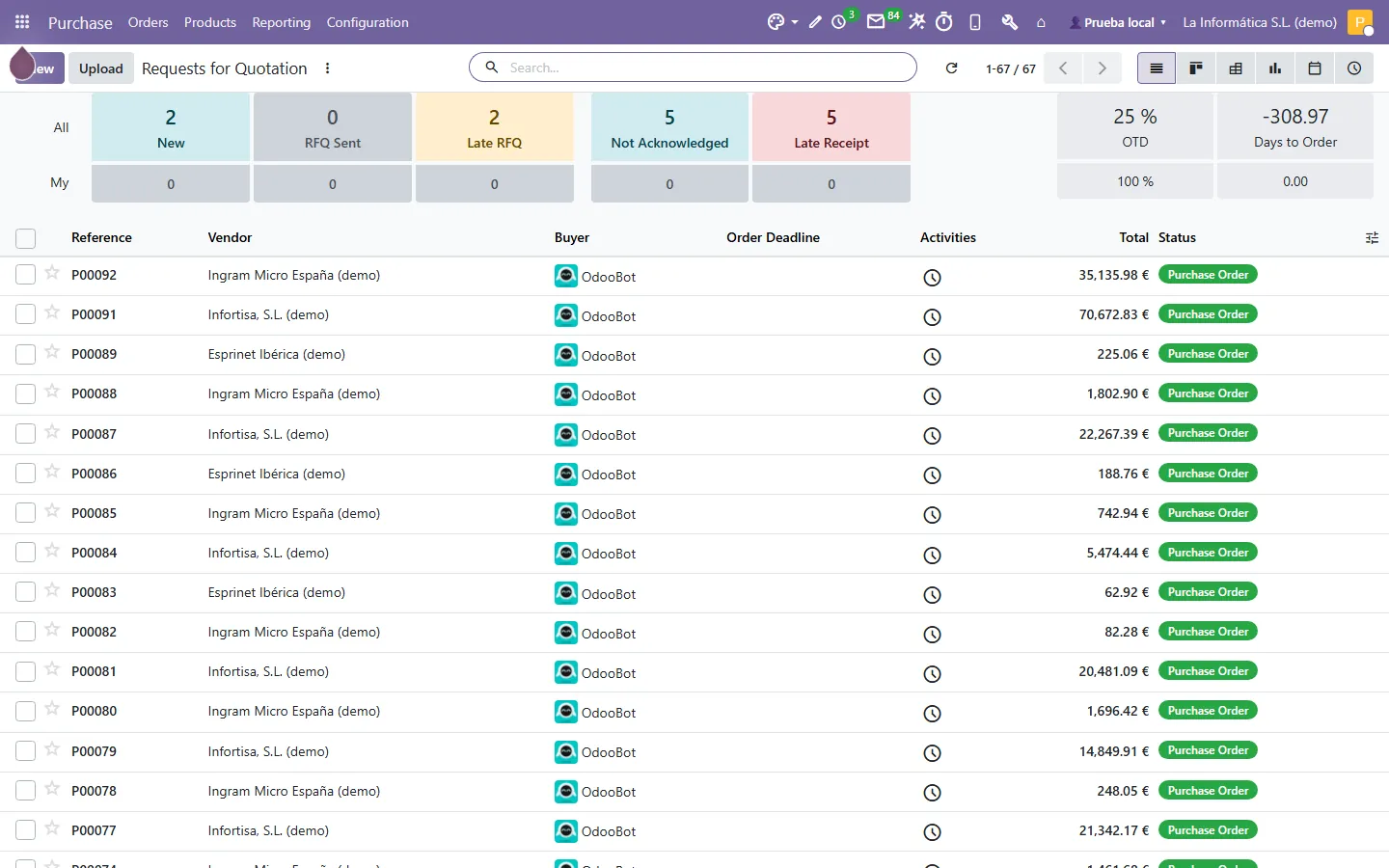
1. Purchases dashboard
New order, supplier invoice, scan invoices and suppliers.

▶ In motion: purchases dashboard, point by point.
- 1The figures of the area; press one to see its list.
- 2The buttons for what is done most (new document, scan…).
- 3The tabs: each one is a list (quotes, orders, delivery notes, invoices…).
- 4The search box searches in the open tab (number, customer, tax ID…).
- 5The quick filters of the tab with their counter.
- 6The table: press a row to open it; the eye shows the PDF in a window.
2. The requests for quotation
Purchases › RFQs.
3. The receipts of goods
Purchases › Receipts.
4. The supplier invoices
From the order or scanning.
5. Payments to suppliers
«Register payment».
6. The suppliers
Master data › Suppliers.
7. The purchase price
Purchase tab.
8. The purchases pending receipt
Panel figure.
Frequently asked questions
How do I create a purchase order?
Purchases › «New order»: supplier and lines, «Confirm». On arrival validate the receipt.
How do I request a quote?
Purchases › RFQs.
How do I receive goods?
Purchases › Receipts.
How do I enter a supplier bill?
From the order or scanning.
How do I pay a supplier bill?
«Register payment».
How do I add a supplier?
Master data › Suppliers.
How do I set a supplier price?
Purchase tab.
How do I see what's pending?
Panel figure.
Why can't I see Compras?
If you can't see it, your internal user lacks the «compras» permission: the administrator grants it in Home › Internal users.
Requests for quotation, supplier orders, receipts of goods and supplier invoices, from the Purchases dashboard.
There are no comments for now.