GERP ODOO Course
Completed
Customer and supplier record
The full record: buttons with what is pending (orders, delivery notes, invoices), second and third email, risk, payment days, suspension, customer notice, 347, counterpart account and deductible VAT, and the record in PDF and Excel.
Video course with Ximena and Marc
Press «Empezar» (Start) and turn the volume up: they show you with voice-over and subtitles (in Spanish), in about 3 minutes.
Open full screen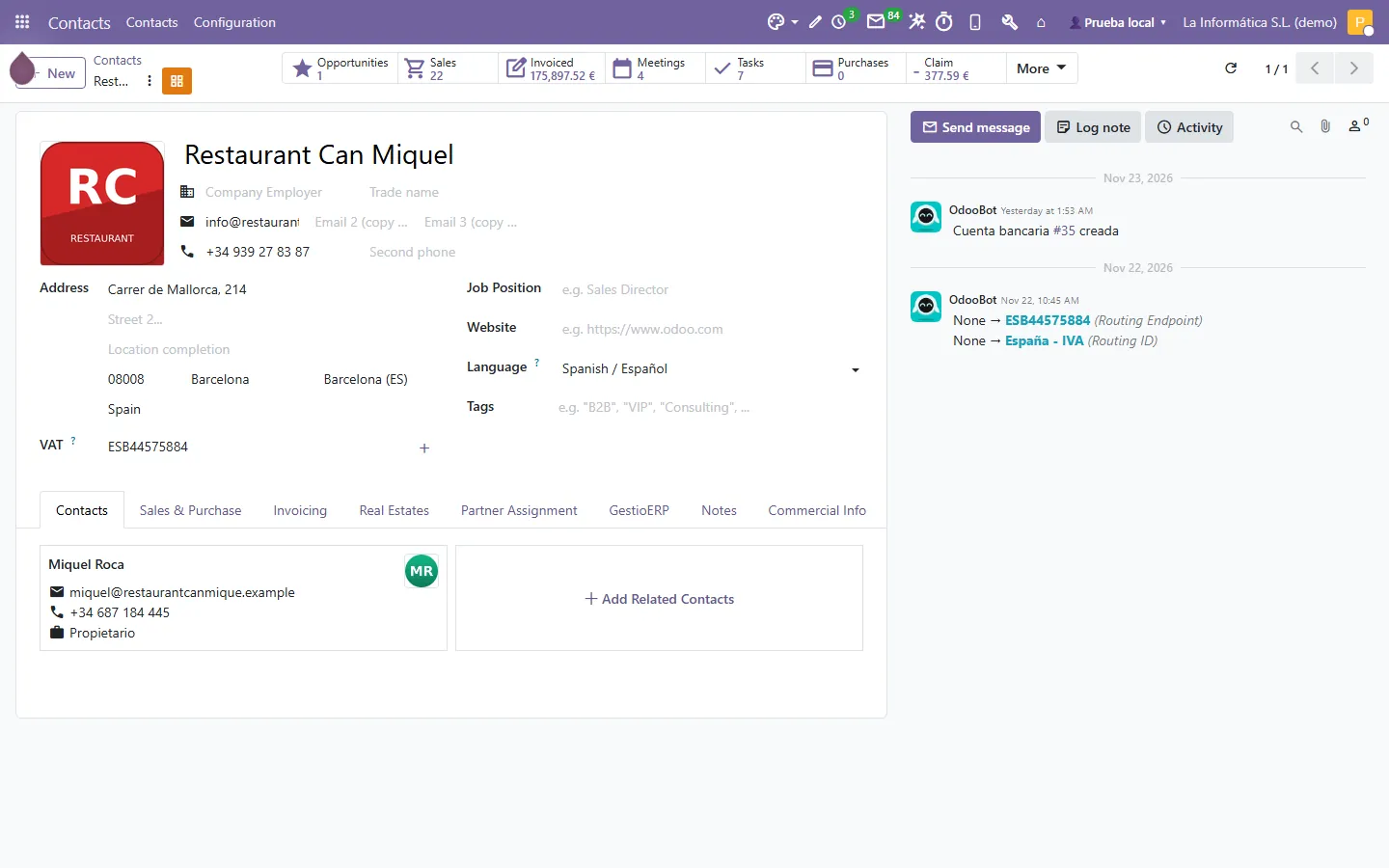
1. The record
Odoo style: buttons on top and data in tabs.
2. The record in PDF
«Record PDF».
3. The customer's pending items
Top buttons.
4. The customer's risk
Current and maximum risk.
5. The payment days
Payment days field.
6. Email 2 and 3
Email 2 and 3.
7. The supplier's counterpart account
Expense account and deductible VAT.
8. Internal consumption
«Internal use» box.
9. The VAT regime
VAT regime.
Frequently asked questions
How do I set a customer warning?
On the customer form: warning, credit limit, suspension, Email 2 and 3 and «Exclude from 347».
How do I print the customer record?
«Record PDF».
How do I see pending orders?
Top buttons.
How do I see the customer's credit risk?
Current and maximum risk.
How do I set payment days?
Payment days field.
How do I send invoices to another email?
Email 2 and 3.
How do I set the supplier expense account?
Expense account and deductible VAT.
How do I mark internal use?
«Internal use» box.
How do I change the VAT regime?
VAT regime.
Why can't I see Ficha de cliente y proveedor?
If you can't see it, your internal user lacks the «maestros» permission: the administrator grants it in Home › Internal users.
The full record: buttons with what is pending (orders, delivery notes, invoices), second and third email, risk, payment days, suspension, customer notice, 347, counterpart account and deductible VAT, and the record in PDF and Excel.
There are no comments for now.