GERP ODOO Course
Completed
Custom lists
Create your own lists with columns, groups, subtotals and totals, from scratch or from one of the templates, and output them as PDF or Excel.
Video course with Ximena and Marc
Press «Empezar» (Start) and turn the volume up: they show you with voice-over and subtitles (in Spanish), in about 3 minutes.
Open full screen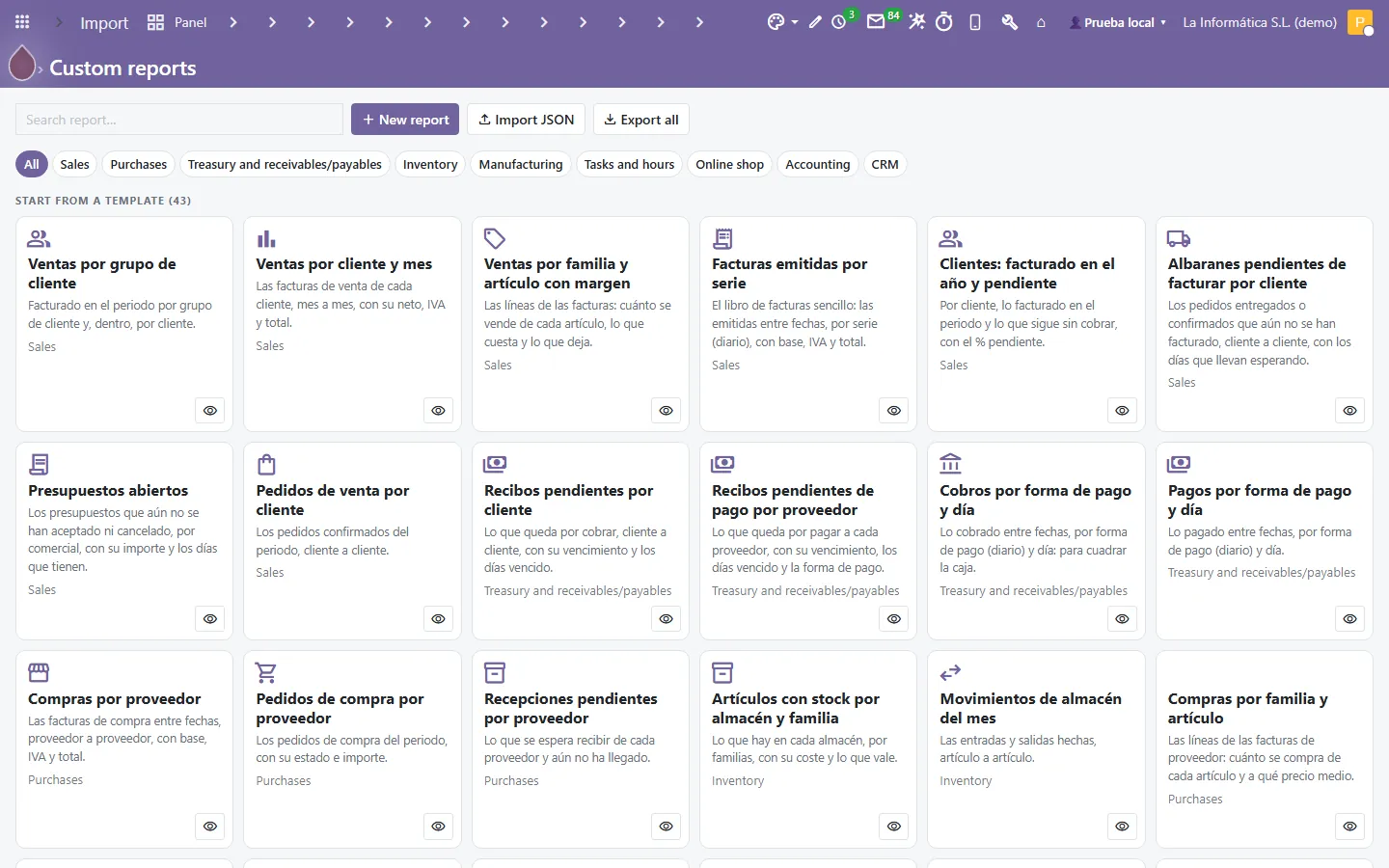
1. Designer in 3 steps
1 · Data, 2 · Columns, 3 · Groups and totals, with a preview using real data.

▶ In motion: designer in 3 steps, point by point.
- 1The steps.
- 2Press a field to add it as a column (also from related tables).
- 3How it looks, with groups, subtotals and totals. Undo, PDF, Excel, Save.
2. The list templates
«Start from a template».
3. The list columns
Step 2 · Columns: click a field.
4. The groups and totals
Step 3 · Groups and totals.
5. The list filters
Step 1 · Data.
6. Export and import lists
«Export all» and «Import JSON».
7. The list in PDF
PDF and Excel buttons.
8. Undo in the designer
«Undo» button.
9. The list preview
On the right, with real data.
Frequently asked questions
How do I build a custom report?
Sales › Custom lists: new list or from a template; choose data, columns and groups, and save.
How do I start from a template?
«Start from a template».
How do I add a column?
Step 2 · Columns: click a field.
How do I group by customer with subtotals?
Step 3 · Groups and totals.
How do I filter a report by date?
Step 1 · Data.
How do I move a report to another company?
«Export all» and «Import JSON».
How do I print a report?
PDF and Excel buttons.
How do I undo a change?
«Undo» button.
How do I see how it looks?
On the right, with real data.
Why can't I see Listados a medida?
If you can't see it, your internal user lacks the «listados (y listados.disenar / listados.exportar)» permission: the administrator grants it in Home › Internal users.
Create your own lists with columns, groups, subtotals and totals, from scratch or from one of the templates, and output them as PDF or Excel.
There are no comments for now.