GERP ODOO Course
Completed
Calendar
Appointments and meetings with reminders.
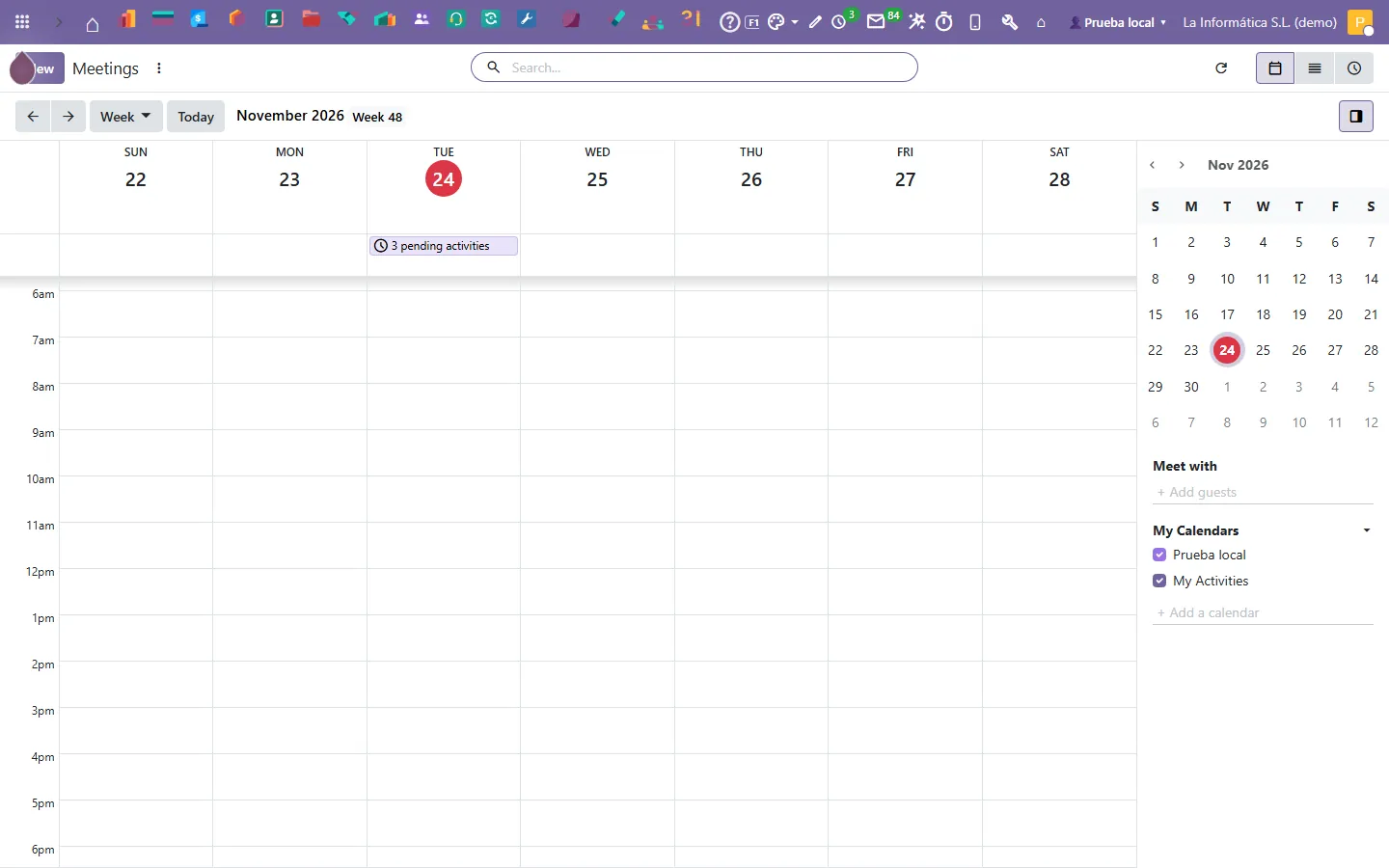
1. Appointments
Press an empty slot to create the appointment.
2. The calendar views
Day, Week, Month.
3. The assistants
Attendees.
4. The alerts
Alarms.
5. The recurring appointments
«Recurrent».
6. Other people's calendar
Tick users.
7. Sync with Google
Settings › Calendar.
8. The appointment with a customer
«Meeting».
Frequently asked questions
How do I add an appointment?
Home › Calendar: click the day and time, set a title.
How do I see the week?
Day, Week, Month.
How do I invite someone?
Attendees.
How do I set a reminder?
Alarms.
How do I make a weekly event?
«Recurrent».
How do I see a colleague's calendar?
Tick users.
How do I sync with my phone?
Settings › Calendar.
How do I book a customer?
«Meeting».
Why can't I see Calendario?
If you can't see it, your internal user lacks the «calendario» permission: the administrator grants it in Home › Internal users.
Appointments and meetings with reminders.
There are no comments for now.