Sales: quotes, orders and invoices
The sales flow: quote → order → delivery note → invoice → collection, from the Sales dashboard.

▶ In motion: from a quote to collection, step by step.
- Quote: Home › Sales › «New quote»; it is sent to the customer.
- Order: the customer accepts and the quote is confirmed: it moves to the Orders tab.
- Delivery note: the goods are delivered; when the delivery note is validated, stock goes down.
- Invoice: the order or what was delivered is invoiced and the invoice is confirmed.
- Collection: the receipt stays in the Collections portfolio until it is collected or put in a remittance.
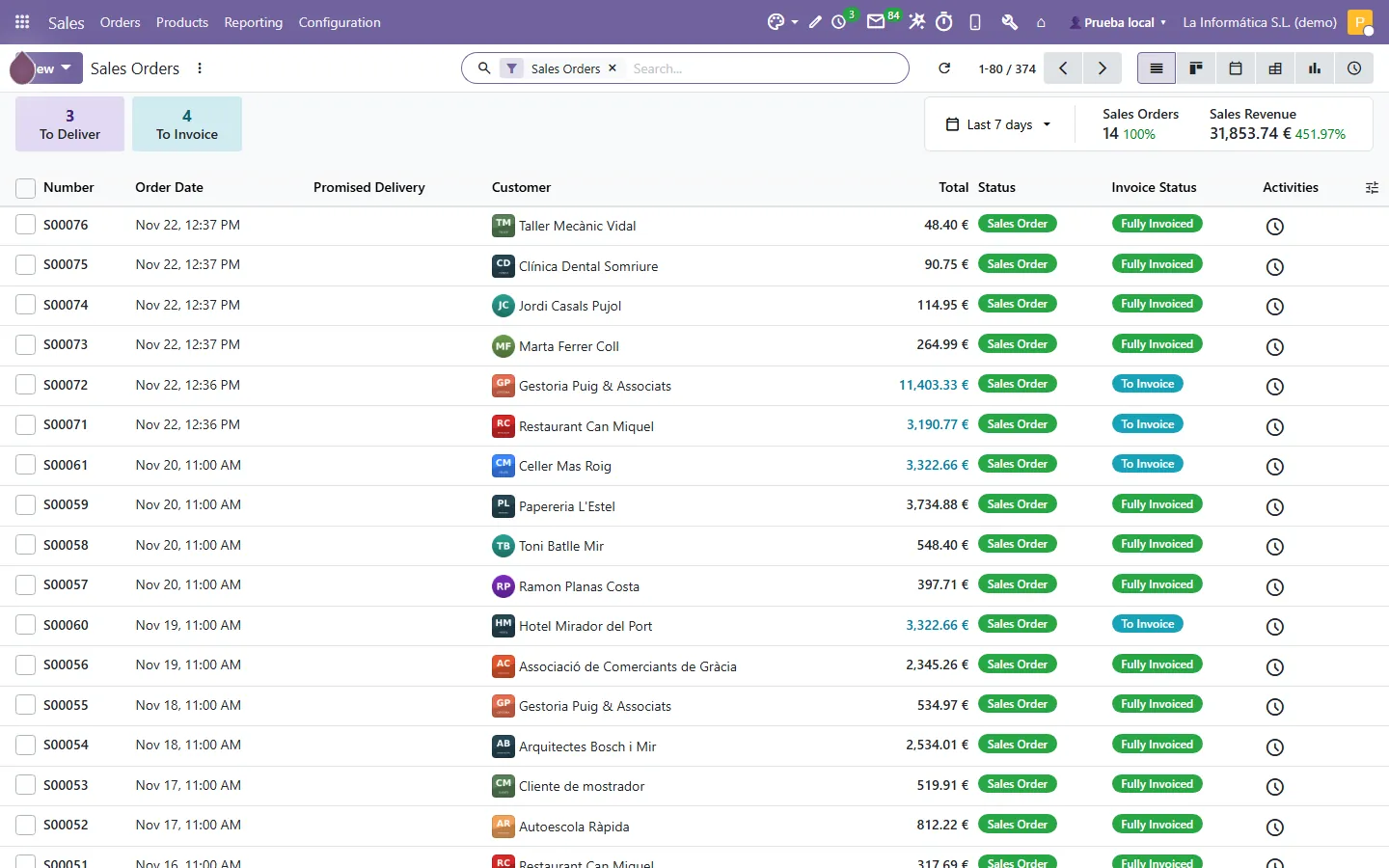
1. Sales dashboard
Figures, buttons (new quote, order, delivery note and invoice, customers, POS, analysis) and tabs of each document.

▶ In motion: sales dashboard, point by point.
- 1The figures of the area; press one to see its list.
- 2The buttons for what is done most (new document, scan…).
- 3The tabs: each one is a list (quotes, orders, delivery notes, invoices…).
- 4The search box searches in the open tab (number, customer, tax ID…).
- 5The quick filters of the tab with their counter.
- 6The table: press a row to open it; the eye shows the PDF in a window.
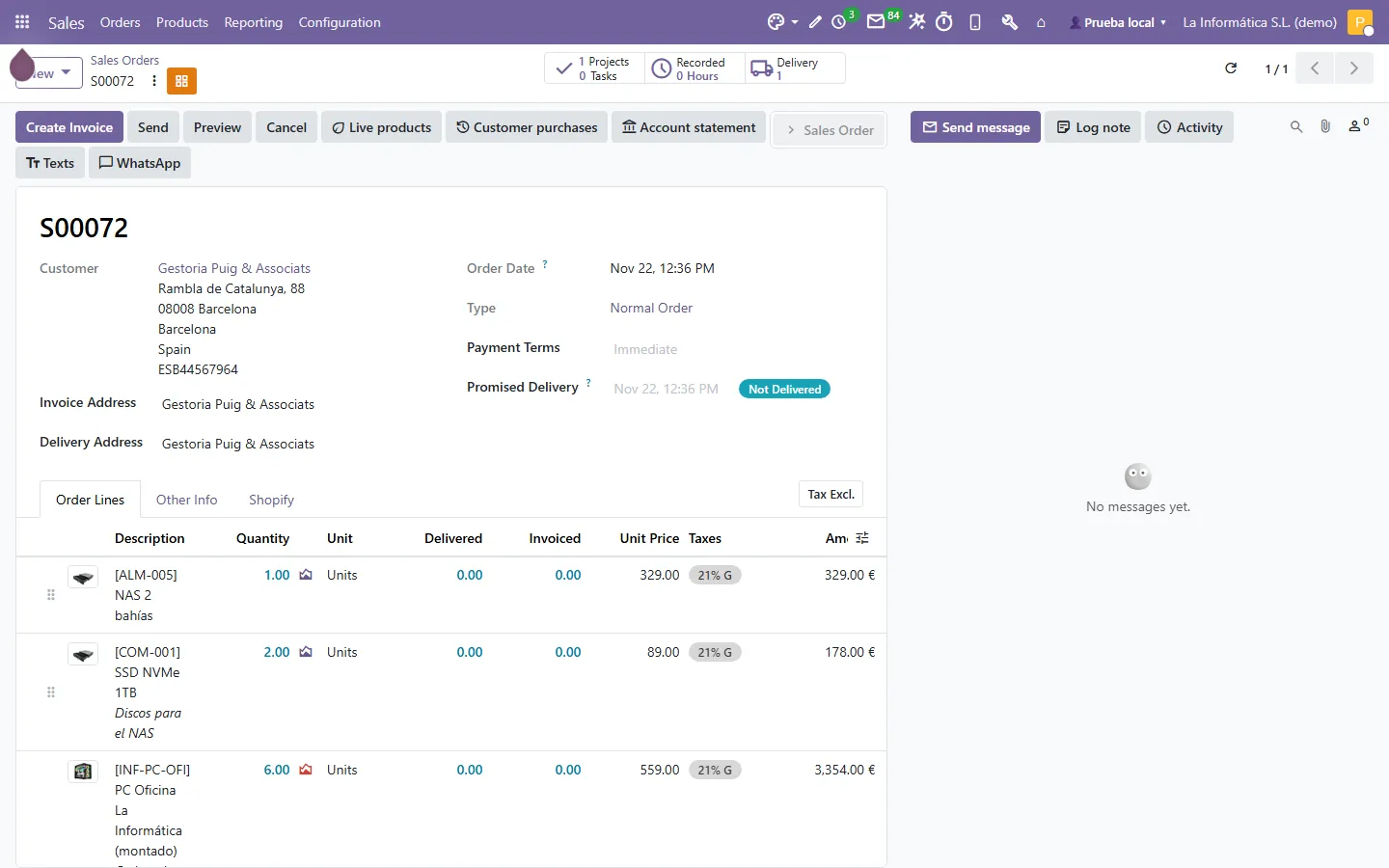
2. A quote
Customer, lines and conditions.

▶ In motion: a quote, point by point.
- 1The actions: send by email or WhatsApp, confirm (becomes an order), texts, live products.
- 2The customer and their terms.
- 3Type the product (it appears with its photo) and the quantity.
- 4Base, VAT and total.
How it is done
- Sales › New quote.
- Choose the customer.
- Add lines (or «Live products» to repeat what you did other times).
- «Send» or «WhatsApp» to the customer; when they accept, «Confirm».
- Deliver the delivery note and «Create invoice».
3. The customers
Master data › Customers.
4. The sales analysis
«Sales analysis».
5. The price lists
Sales › Price lists.
6. Advances and collections
Down payment invoice.
7. Send a quote by email
«Send».
8. The credit notes
«Credit note».
9. Discounts on lines
Disc. % column.
10. Uninvoiced orders
«To invoice» filter.
Frequently asked questions
How do I create a quotation?
Sales › «New quotation»: choose the customer, add lines and «Send». When accepted, «Confirm».
How do I create an invoice?
From the order press «Create invoice», or Sales › «New invoice». Review and «Confirm».
How do I make a delivery note?
Confirming the order creates the delivery: open it, set quantities and «Validate».
How do I find a customer?
Master data › Customers.
How do I analyse sales?
«Sales analysis».
How do I set special prices?
Sales › Price lists.
How do I take a deposit?
Down payment invoice.
How do I email the quote?
«Send».
How do I issue a credit note?
«Credit note».
How do I add a line discount?
Disc. % column.
How do I see orders to invoice?
«To invoice» filter.
Why can't I see Ventas: presupuestos, pedidos y facturas?
If you can't see it, your internal user lacks the «ventas» permission: the administrator grants it in Home › Internal users.
The sales flow: quote → order → delivery note → invoice → collection, from the Sales dashboard.
There are no comments for now.