GERP ODOO Course
Completed
Management dashboard
Seven tabs to run the business: Summary, Business health, Sales, Customers, Treasury, Inventory and Tax, by company and by month, quarter or year.
Video course with Ximena and Marc
Press «Empezar» (Start) and turn the volume up: they show you with voice-over and subtitles (in Spanish), in about 3 minutes.
Open full screen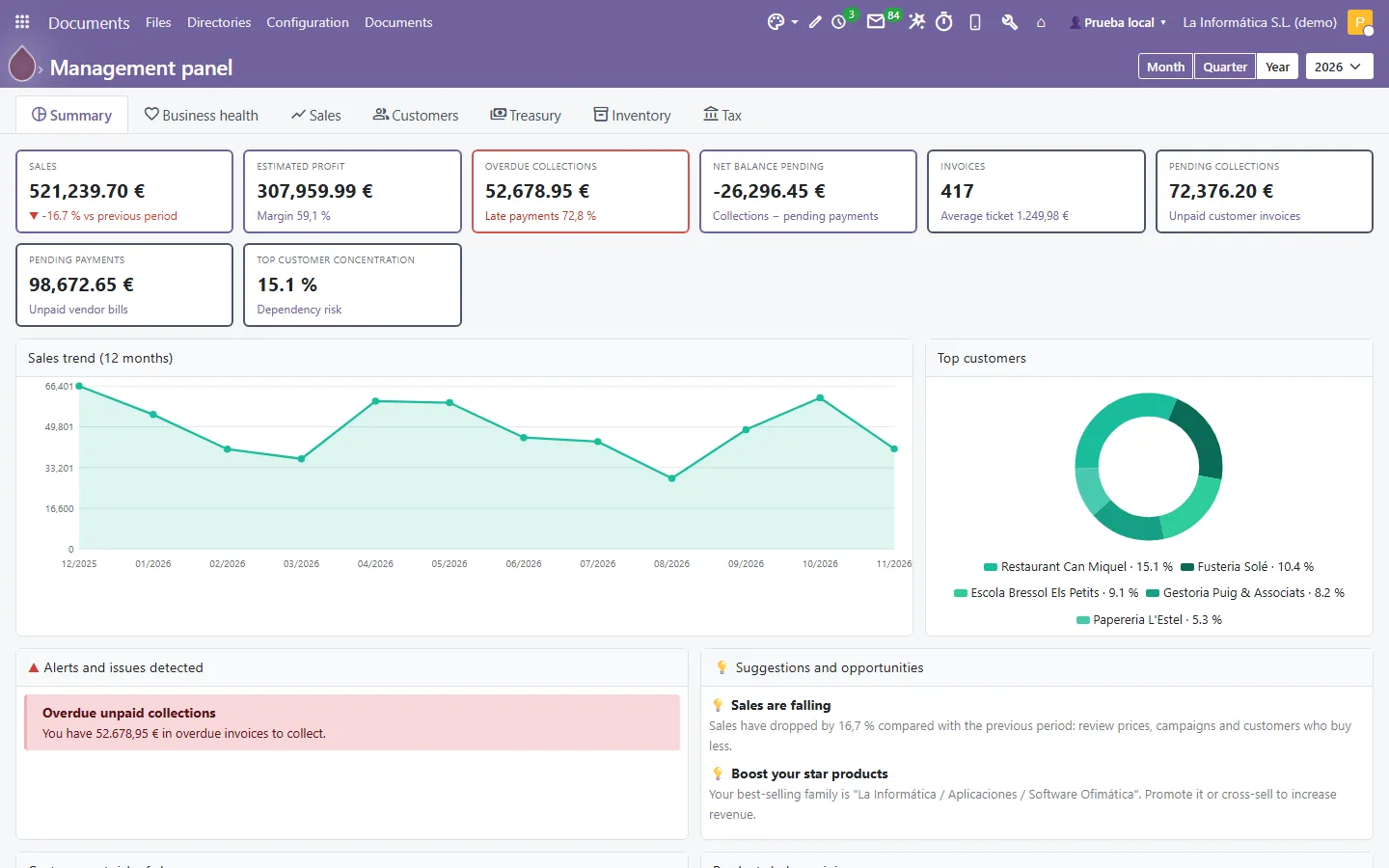
1. The tabs
At the top you choose company and period. The figures can be pressed to see their list.

▶ In motion: the tabs, point by point.
- 1Company and period.
- 2Each tab is a topic.
- 3Sales, profit, overdue collections, balance…
- 412-month sales.
- 5Who buys the most.
- 6Overdue collections, stock below minimum, customers who do not come back.
- 7Ideas to sell more and win back customers.
2. The health of the business
Management › Business health: finance, collection and payment cycles.
3. The management customers tab
Management › Customers: active, new, recurring and RFM table.
4. Sales by day of the week
Management › Sales: weekday bars, margin by family and salespeople.
5. The tax tab
Management › Fiscal: output, input VAT and result by quarter.
6. The inventory in management
Management › Inventory: value, turnover and days of inventory.
7. Cash management in management
Management › Treasury: DSO, DPO, overdue debt and net balance.
8. The management period
Top right: company, Month / Quarter / Year and the year.
9. The management alerts
In Summary: alerts and suggestions.
10. Customers at risk of leaving
Management › Summary › customers at risk.
Frequently asked questions
How is the business doing?
Sales › Management dashboard: choose company and period; Summary shows sales, margin, collections, alerts and tips.
How do I see how long I take to collect?
Management › Business health: finance, collection and payment cycles.
How do I see new and recurring customers?
Management › Customers: active, new, recurring and RFM table.
How do I see which days I sell most?
Management › Sales: weekday bars, margin by family and salespeople.
How do I see VAT by quarter?
Management › Fiscal: output, input VAT and result by quarter.
How do I see stock turnover?
Management › Inventory: value, turnover and days of inventory.
How do I see DSO and DPO?
Management › Treasury: DSO, DPO, overdue debt and net balance.
How do I change the month or quarter?
Top right: company, Month / Quarter / Year and the year.
How do I see business problems?
In Summary: alerts and suggestions.
How do I see customers about to leave?
Management › Summary › customers at risk.
Why can't I see Panel de gerencia?
If you can't see it, your internal user lacks the «ventas» permission: the administrator grants it in Home › Internal users.
Seven tabs to run the business: Summary, Business health, Sales, Customers, Treasury, Inventory and Tax, by company and by month, quarter or year.
There are no comments for now.